
Note: This is a concept prototype on sample data, created as my own project. It was not built for any employer and is not operated at any.
What it is about
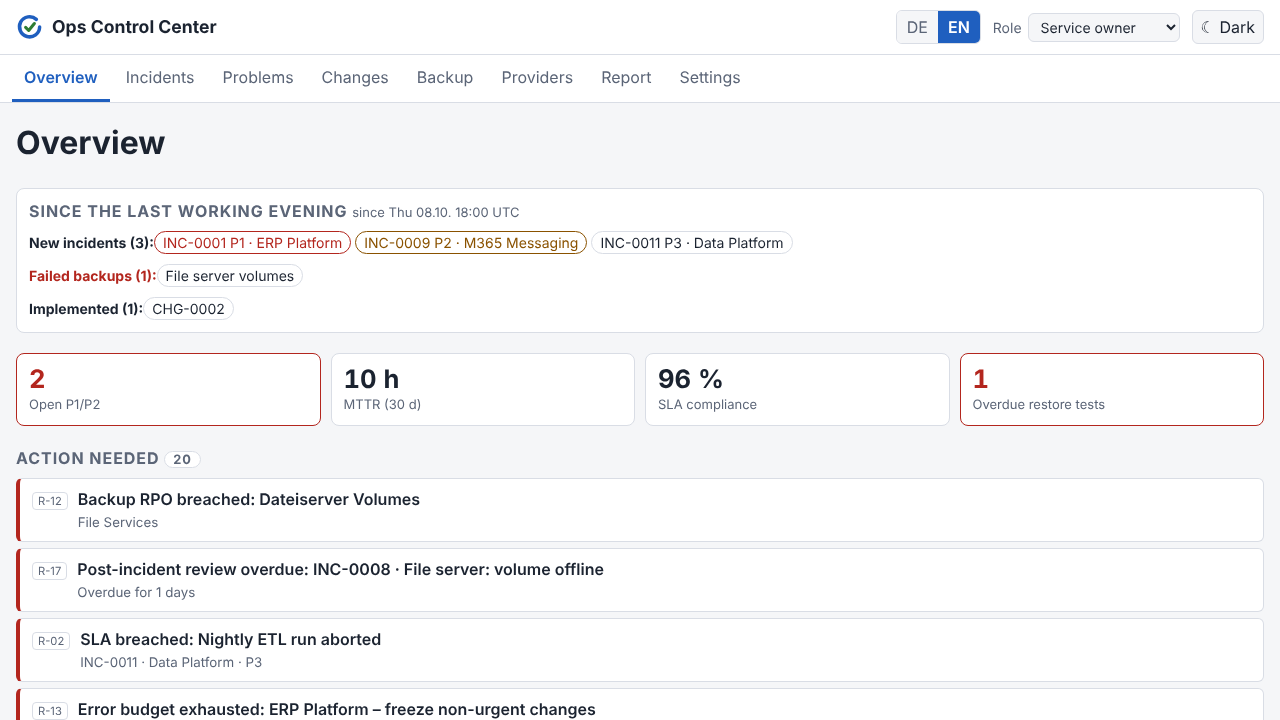
ITSM operations span many tools: monitoring, ticketing, backup reports, provider reports. Each shows a slice, but none answers "what needs my attention today?" Ops Control Center sits as one working surface on top of the existing tools (Azure Monitor, M365 Service Health, backup and provider reports, Jira). It does not replace an ITSM suite.
The idea: the rules are the product
The core is a rule set that turns data into a prioritised list of items needing action. Every item carries the ID of the rule that raised it. None of it is magic or a black box:
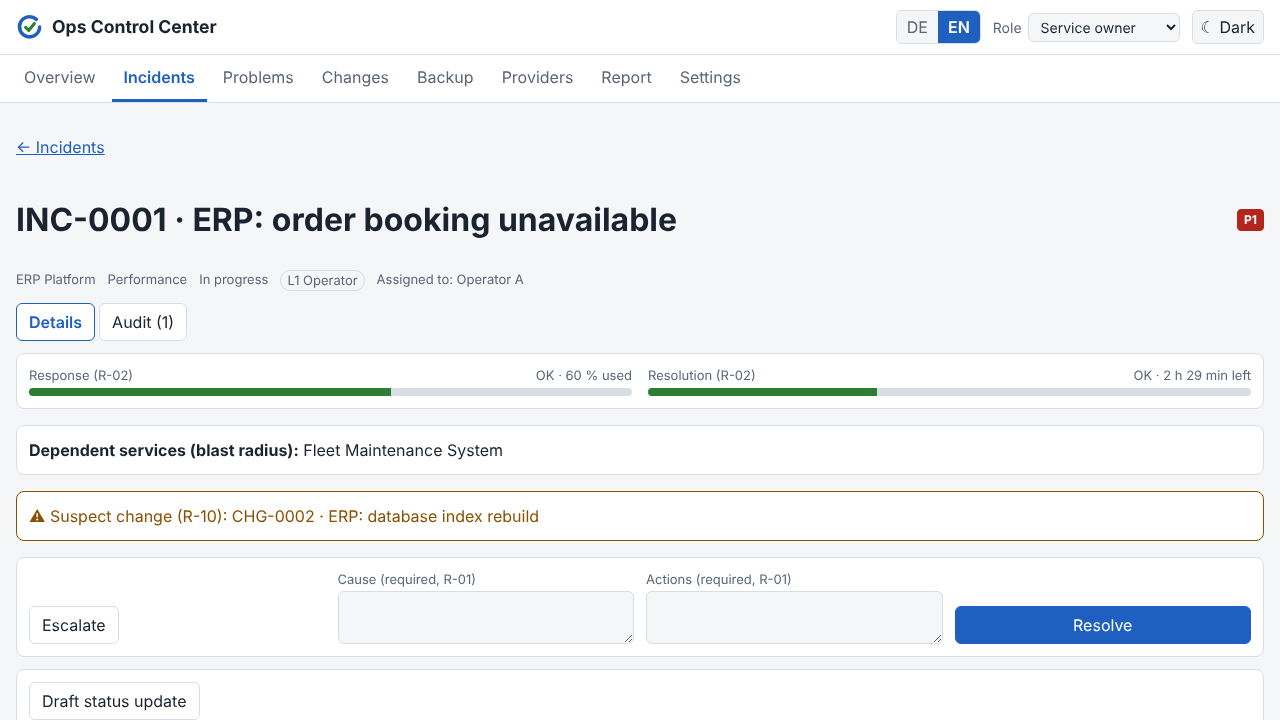
- Incidents: SLA clocks by priority (P1: 15 min response, 4 h resolution), escalation L1 → L2 → L3, P1/P2 can only be closed with cause and actions, post-incident review within 5 days.
- Problems: three or more incidents on the same service and category within 30 days create a problem candidate. Known errors older than 60 days are flagged.
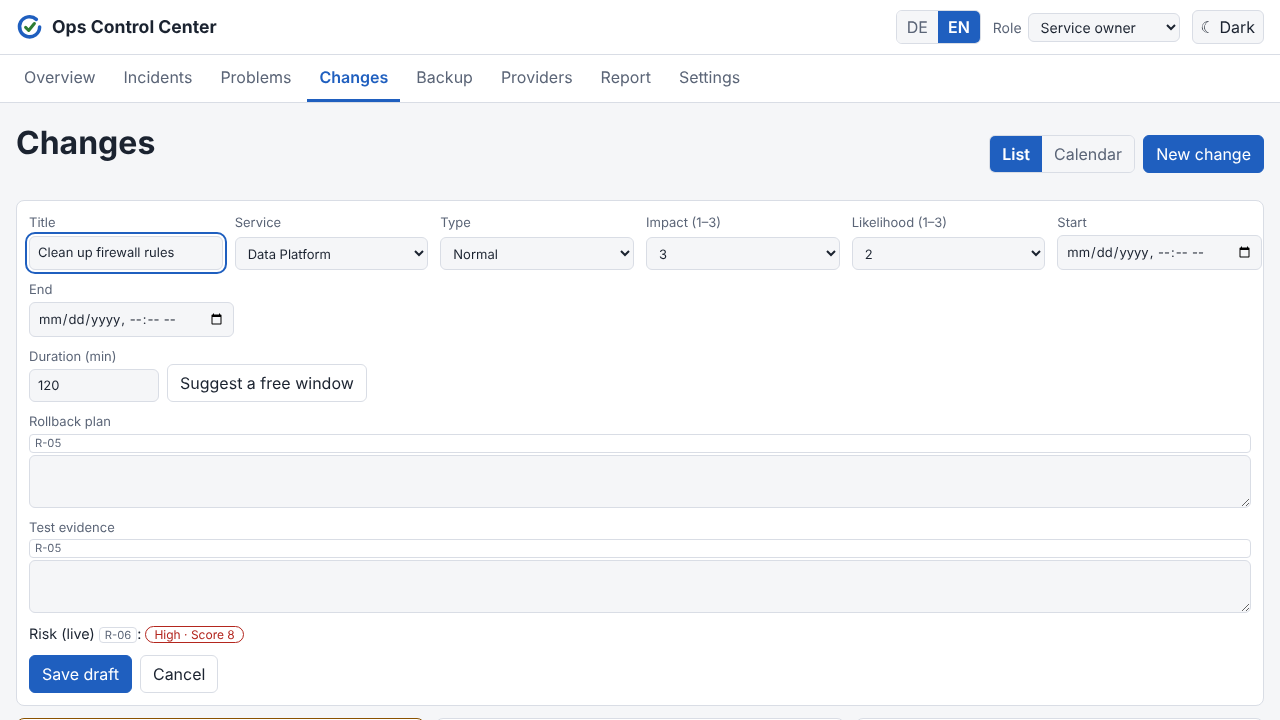
- Changes: rollback plan and test evidence are mandatory, risk is computed from impact, likelihood, missing maintenance window and open P1/P2, approvals depend on risk band and role, an open P1 triggers a change freeze, overlapping changes raise a warning, and a change shortly before an incident becomes a suspect.
- Backup and recovery: RPO breach, RTO bar and restore tests overdue after 90 days.
- Provider and SLA: KPIs below contract level, error budget per service, deadline for service-credit claims.
- Traceability: every write is stored immutably in the audit trail.
Derived values such as SLA state, risk, budget and the action list are computed on every read and never maintained by hand.
Product decisions and why
- Overview reduced to "what is there to do today?" The first version was overloaded. The start page now leads with items needing action and a digest since the last working day.
- Rules instead of AI answers. A chatbot over the data was deliberately parked: it would send data to an external model, and the product's thesis is deterministic traceability.
- Source systems never bypass the workflow. Even when Jira changes a ticket, the application's approvals and roles stay authoritative.
- Missing data. A backup set with no reported run counts as "no data yet", not as a breach.
- Desk research instead of interviews. Market research (vendor-level evidence) steered the later phases. An interview script is ready for later.
How it is built
- Dashboard tabs: overview, incidents, problems, changes, backup, provider, report, settings.
- Connectors: Azure Monitor, M365 Service Health, backup reports, provider reports, a generic webhook and Jira (live, polling). Incoming data is signed and processed idempotently.
- Modes: demo with sample data and simulated roles, live mode with sign-in, sessions, roles and CSRF protection.
- Quality: test-driven development, accessibility checks with axe on every page, German by default with English switchable, light and dark theme.
What is still missing
The Windows installation files have not yet been run on a real Windows server. Apart from Jira, connectors run on sample data. MFA and single sign-on are missing. I am happy to show a live demo in a conversation.